Design Tool
For the AI Era
Role
Founder, Designer & Builder
Period
2026
Skills Utilized
Overview:
Backstory of the work.
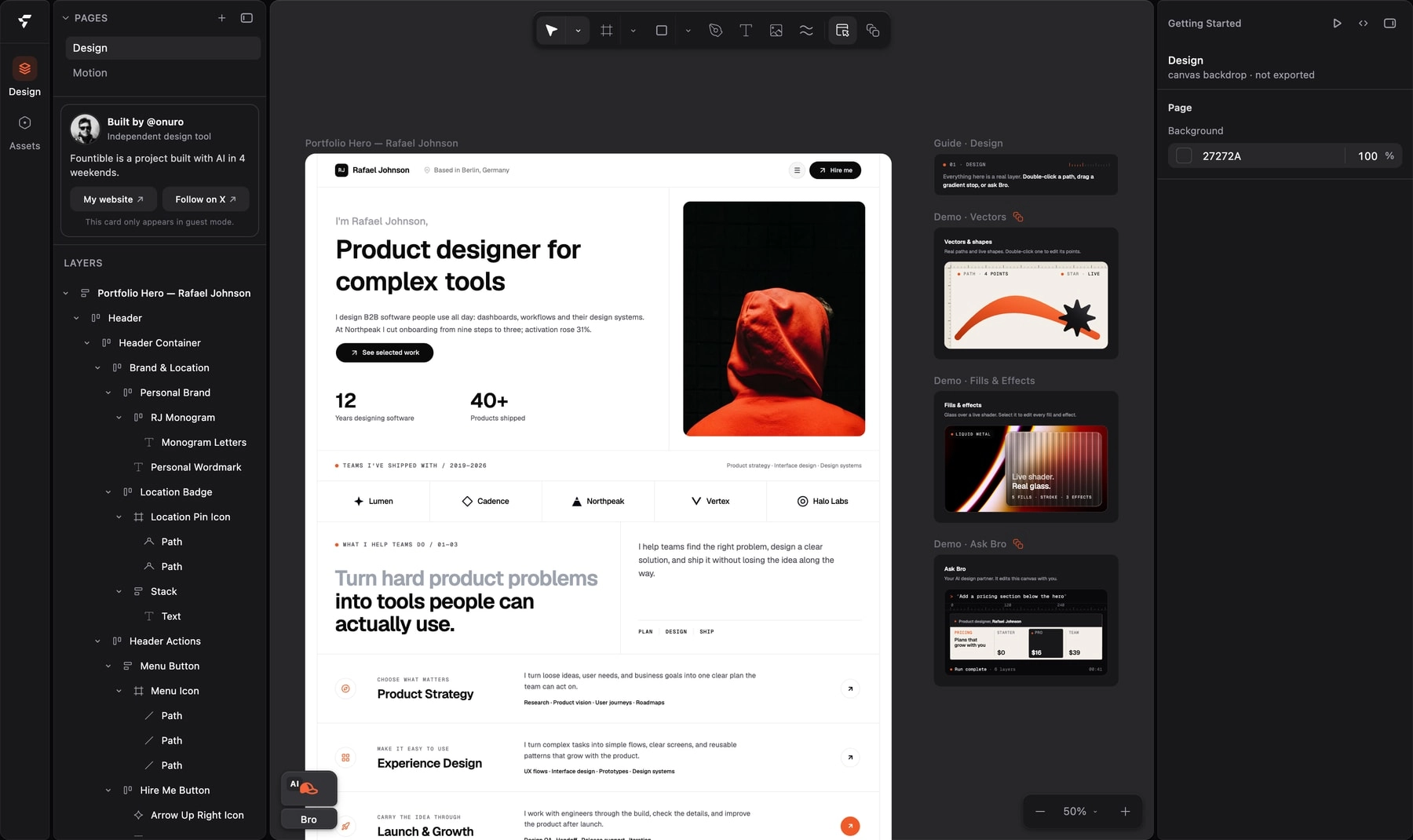
Design-to-code handoff is where good work drifts. Spacing, responsiveness and motion get approximated in translation, and teams lose days going back and forth. Fountible removes the translation step: its canvas renders real React components styled with Tailwind classes, so what you design is what ships.
I designed and built it largely on my own, starting in July 2026, working with AI coding agents. It runs on the web and as a Mac app, with a Chrome extension that captures any page into editable layers, and an MCP plugin that lets Claude Code or Cursor edit a file live.
Bro.
An AI that works on the canvas.
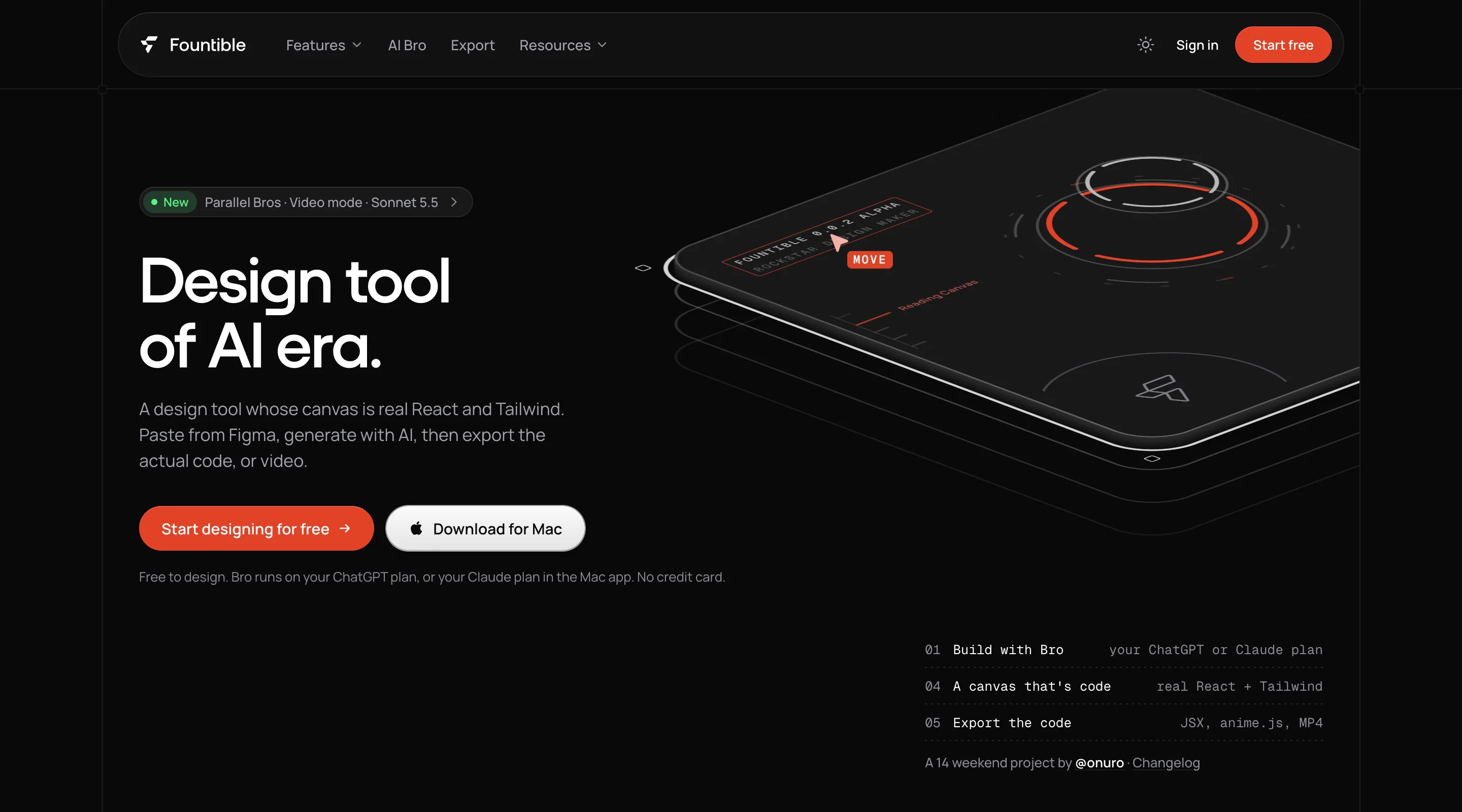
Bro is Fountible's canvas agent. It runs on the ChatGPT, Claude, Cursor or Kimi plan you already have, and up to six Bros can work on the same file at once, each in its own chat, with numbered cursors so you can see who is doing what. Runs that reach for the same layers wait their turn instead of colliding, and any run can be steered midway or reverted.
Documents are plain HTML tags, Tailwind classes and CSS variables, so agents read the real implementation instead of an approximation of it. That is what makes their edits land cleanly.
Export.
The design is the code.
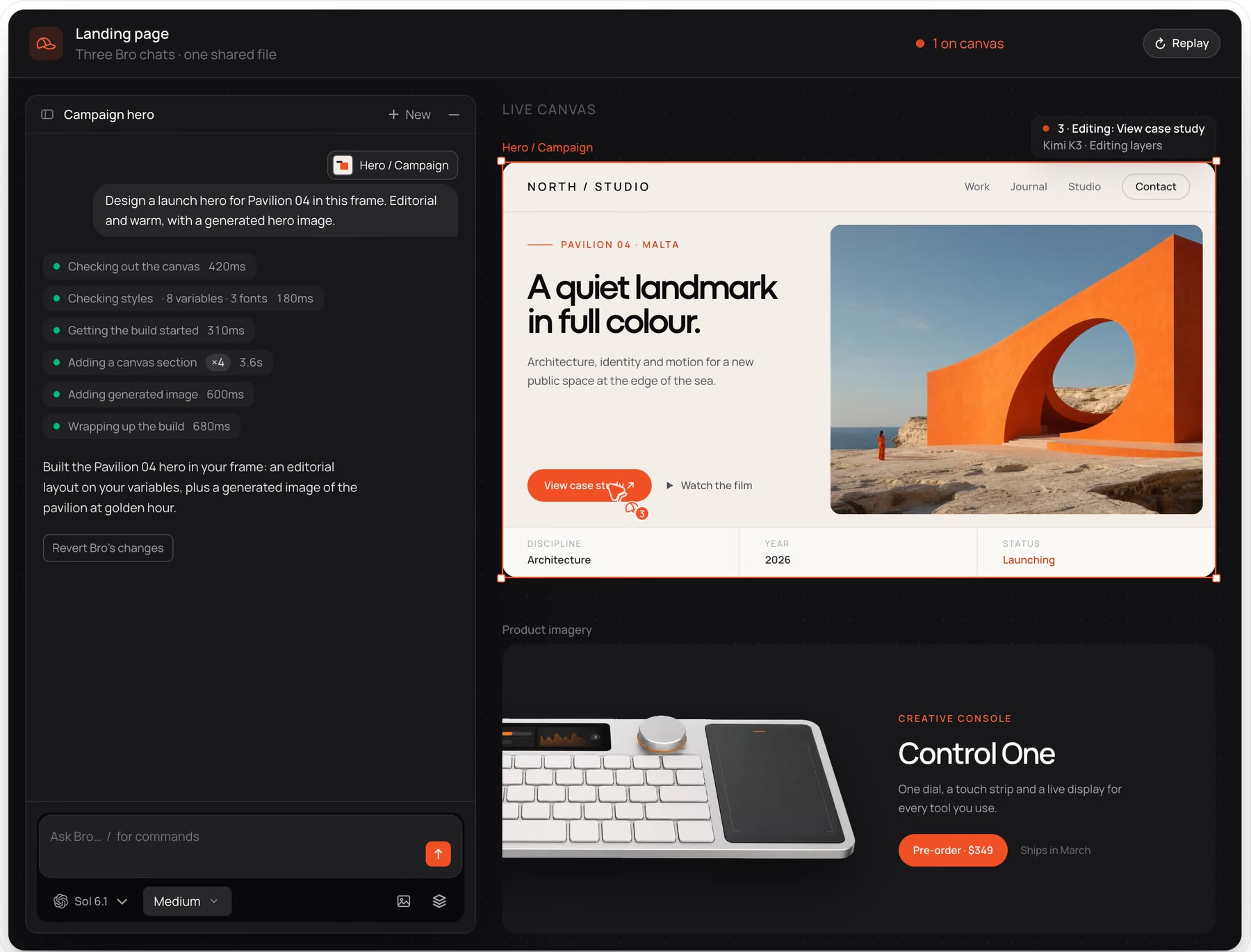
Select a frame and copy it as React and Tailwind JSX, with exactly the classes the inspector shows. The same layers render to anime.js timelines, SVG, PNG, PDF, MP4 and PowerPoint decks, so every format comes from one source.
One selection, one component.
Select a frame and press ⌘⇧C, or open Export from the header. You get JSX with the classes the inspector shows.
- Output
- React + Tailwind JSX
- Same as
- Copy as code · ⌘⇧C
- Motion
- plain anime.js, reduced-motion aware
Every export, one source.
The layers you design are what each format renders.
- React + Tailwind JSX
- anime.js timelines
- PNG
- JPG
- SVG
- PDF · Mac app
- MP4
- MOV with alpha · Mac app
- PPTX · decks
Motion.
A timeline on the same canvas.
Motion sits on top of the same layers: presets for fades, flips and staggers, a keyframe timeline for the details, and video export with audio. What you preview is what exports, as plain anime.js.
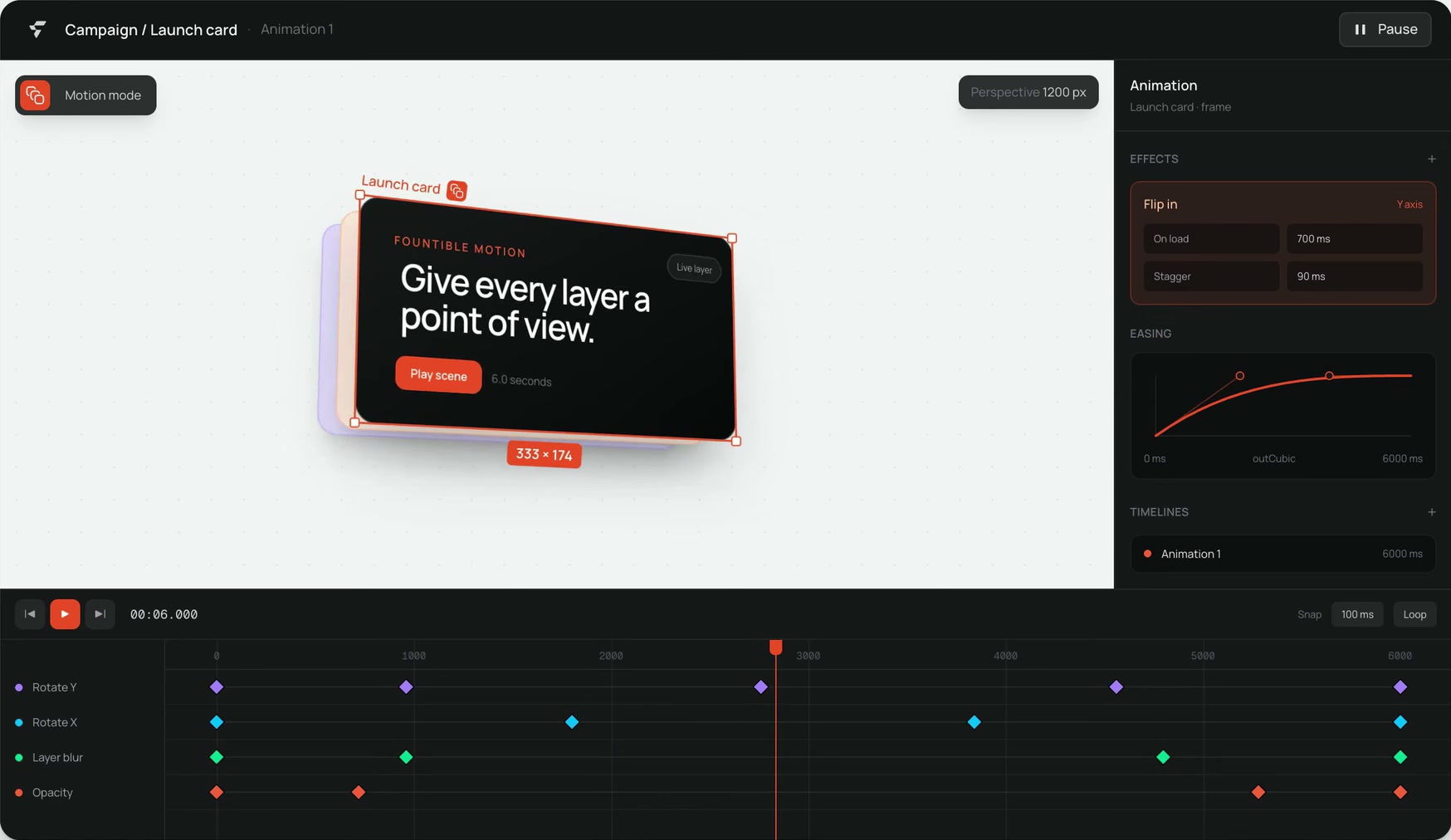
A motion reel made entirely in Fountible.
The Impact.
Shipping & Outcome.
Fountible is live on the web and as a Mac app, with the Capture extension on the Chrome Web Store and the MCP package on npm. It is free to design in, and the AI runs on the plan you already pay for.
Building it changed how I think about design work. AI models lowered the cost of implementation dramatically, but they did not provide the point of view: deciding what to build, how it should feel and when it was good enough stayed the job. I wrote about the process in Building Fountible with Claude Fable 5, GPT-5.6 and Kimi K3.